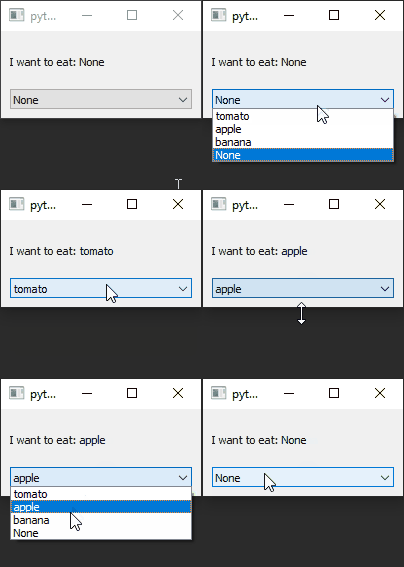
RQChoice and RQCombobox
example code
import sys
from PyQt5.QtWidgets import QApplication, QMainWindow, QVBoxLayout, QWidget
from pyreaqtive.models import RQChoice, RQList, RQModel, RQComputedText
from pyreaqtive.widgets import RQCombobox, RQLabel


class Food(RQModel):
    # Declare a model to use with the choice

    def __init__(self, name: str):
        super(Food, self).__init__()
        self.name = name

    def __str__(self):
        # When rendering the object, return it's name by default
        return self.name


class MainWindow(QMainWindow):
    def __init__(self):
        super().__init__()
        widget = QWidget()
        layout = QVBoxLayout()
        widget.setLayout(layout)
        self.setCentralWidget(widget)

        # Declare a list of available choices
        choices = RQList([
            Food("tomato"),
            Food("apple"),
            Food("banana")
        ])

        # Declare a Choices model
        choice = RQChoice(
            choices=choices,
            selected=None,  # Start as none choice
            allow_none=True  # Allow none choice
        )

        # Display current choice
        label = RQLabel(RQComputedText(
            "I want to eat: {food}",
            food=choice
        ))
        layout.addWidget(label)

        # RQCombobox to select the choice
        combobox = RQCombobox(choice)
        layout.addWidget(combobox)


app = QApplication(sys.argv)
window = MainWindow()
window.show()
app.exec()