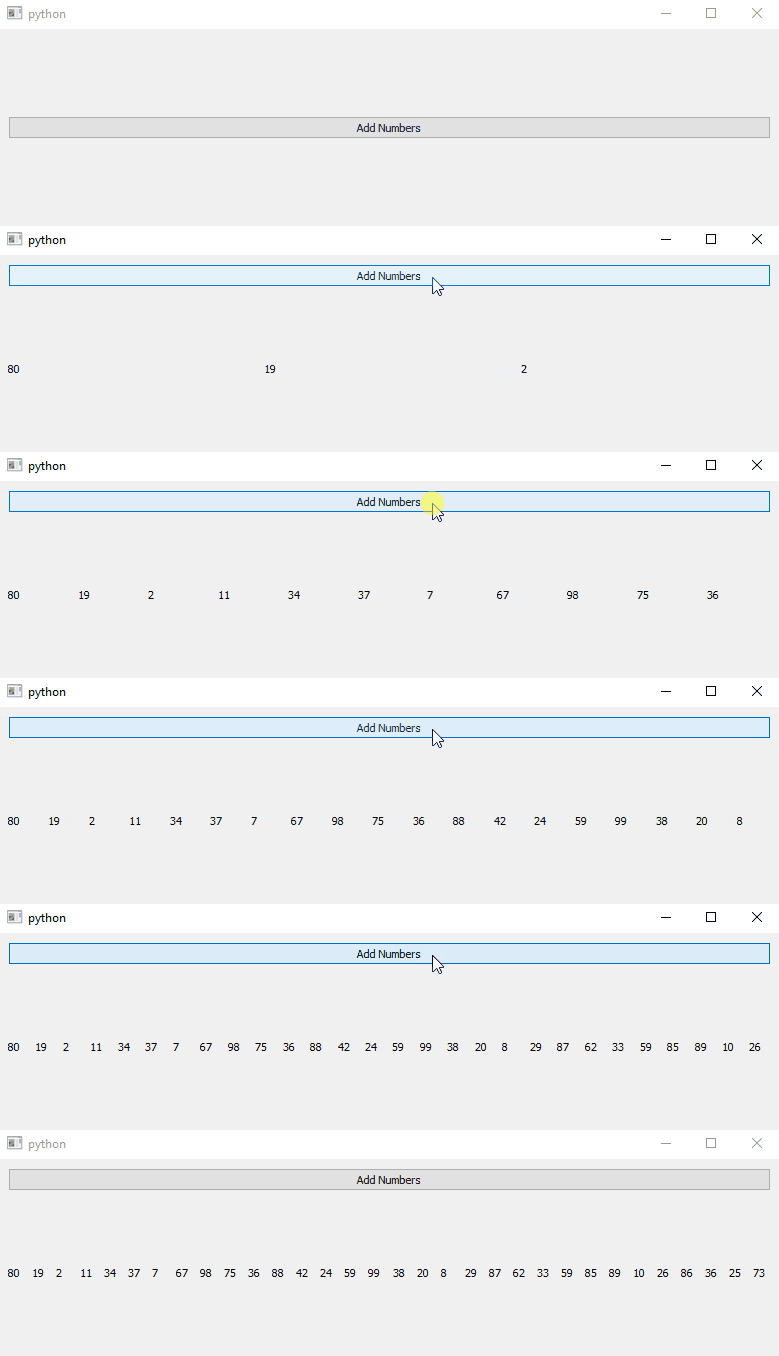
rq_getlist
example code
import sys
from random import randint
from typing import List

from PyQt5.QtWidgets import QApplication, QMainWindow, QVBoxLayout, QWidget, QPushButton, QLabel

from pyreaqtive.layouts import RQHBoxLayout
from pyreaqtive.models import RQList
from pyreaqtive.rq_getlist import rq_getlist


# Example class that is on a library that doesn't use pyreaqtive models
class LibraryObject:

    def __init__(self):
        # Be extra careful, this list will be replaced by a RQList.
        # All list methods can be used by the library. But the type is not list anymore.
        # The library cannot rely on checking against isinstance or issubclass
        self.my_list: List[str] = []

    def add_item(self):
        self.my_list.extend(
            [str(randint(0, 99)) for _ in range(randint(1, 3))]
        )


class StringWidget(QLabel):

    def __init__(self, item: str, list_model: RQList):
        super(StringWidget, self).__init__()
        self.setText(item)


class MainWindow(QMainWindow):
    def __init__(self):
        super().__init__()
        widget = QWidget()
        layout = QVBoxLayout()
        widget.setLayout(layout)
        self.setCentralWidget(widget)

        # Create a instance of the library object, as usual
        self.library_instance = LibraryObject()

        # Some Internal functionality of the library, connected to a button to demostrate
        change_button = QPushButton("Add Numbers")
        change_button.clicked.connect(self.add_item)
        layout.addWidget(change_button)

        # Get a reactive list, an RQList that will be updated everytime the library attribute is updated
        rq_list = rq_getlist(self.library_instance, "my_list")

        layout.addLayout(
            RQHBoxLayout(
                model=rq_list,
                widget=StringWidget
            )
        )

    def add_item(self):
        self.library_instance.add_item()


app = QApplication(sys.argv)
window = MainWindow()
window.show()
app.exec()