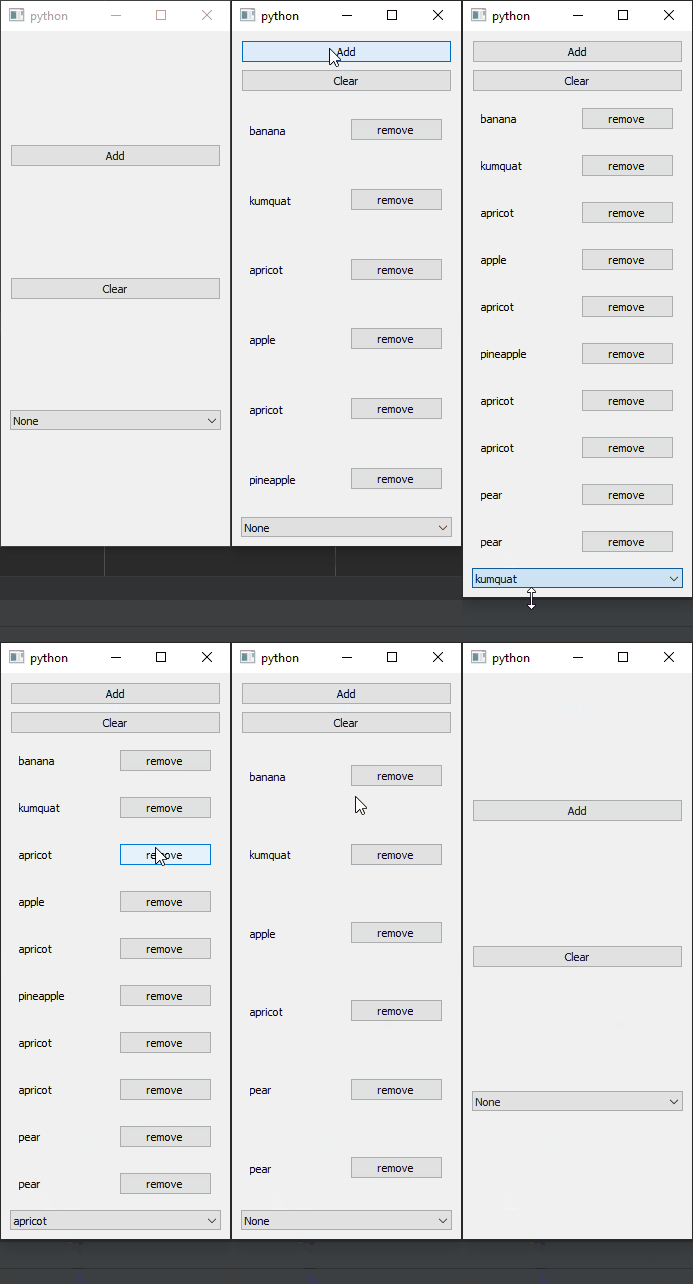
RQList and RQVBoxLayout
example code
import random
import sys

from PyQt5.QtCore import pyqtSlot
from PyQt5.QtWidgets import QApplication, QMainWindow, QVBoxLayout, QWidget, QLabel, QPushButton, QHBoxLayout

from pyreaqtive.layouts import RQVBoxLayout
from pyreaqtive.models import RQList, RQModel, RQChoice
from pyreaqtive.widgets import RQComboBox


# Declare a Custom Model
class Fruit(RQModel):

    def __init__(self, name: str):
        super(Fruit, self).__init__()
        self.name = name

    def __str__(self) -> str:
        # Return name for label and qcombobox
        return self.name


# Declare the widget that represents the fruit model
class FruitWidget(QWidget):

    def __init__(self, model: Fruit, list_model: RQList):
        super().__init__()

        # Store the model of the fruit
        self.model = model

        # And the list is present on
        self.list_model = list_model

        self.main_layout = QHBoxLayout(self)
        self.main_layout.addWidget(
            QLabel(str(model))  # Simple widget to display the name of the fruit. Could also be reactive!
        )

        # Button to remove itself from the list
        self.remove_button = QPushButton("remove")
        self.remove_button.clicked.connect(self.remove)
        self.main_layout.addWidget(self.remove_button)

    @pyqtSlot()
    def remove(self) -> None:
        # Request that the list removes the model this widget is representing
        self.list_model.remove(self.model)


class MainWindow(QMainWindow):
    def __init__(self):
        super().__init__()
        widget = QWidget()
        layout = QVBoxLayout()
        widget.setLayout(layout)
        self.setCentralWidget(widget)

        # Declare the list model of fruits
        self.fruits_list = RQList()

        self.add_button = QPushButton("Add")
        self.add_button.clicked.connect(self.add_fruit)
        layout.addWidget(self.add_button)

        self.clear_all_button = QPushButton("Clear")
        self.clear_all_button.clicked.connect(
            lambda: self.fruits_list.clear()
        )
        layout.addWidget(self.clear_all_button)

        # Display all the fruits in the model in as layout
        fruits_display = RQVBoxLayout(
            model=self.fruits_list,
            widget=FruitWidget  # The widget that represents fruits is the FruitWidget
        )

        layout.addLayout(fruits_display)

        fruit_choice = RQChoice(  # From the same list we can also create a reactive choice
            self.fruits_list,
            allow_none=True
        )
        fruit_choice_combobox = RQComboBox(fruit_choice)
        layout.addWidget(fruit_choice_combobox)

    @pyqtSlot()
    def add_fruit(self):
        # When clicking the button add a random fruit
        possible_fruits = [
            'apple',
            'pear',
            'apricot',
            'banana',
            'mango',
            'watermelon',
            'kumquat',
            'pineapple'
        ]
        self.fruits_list.append(
            Fruit(
                random.choice(possible_fruits)
            )
        )


app = QApplication(sys.argv)
window = MainWindow()
window.show()
app.exec()