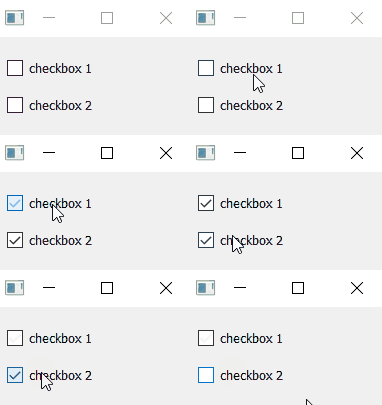
RQBool with RQCheckbox
example code
import sys
from PyQt5.QtWidgets import QApplication, QMainWindow, QVBoxLayout, QWidget
from pyreaqtive.models import RQBool
from pyreaqtive.widgets import RQCheckBox


class MainWindow(QMainWindow):
    def __init__(self):
        super().__init__()
        widget = QWidget()
        layout = QVBoxLayout()
        widget.setLayout(layout)
        self.setCentralWidget(widget)

        # Declare a bool model
        state = RQBool(False)

        # Create two reactive checkboxes linked to the same model
        checkbox_1 = RQCheckBox(state, "checkbox 1")
        checkbox_2 = RQCheckBox(state, "checkbox 2")
        # They will update each other through the model that represents the state

        # Add the widgets to the layout
        layout.addWidget(checkbox_1)
        layout.addWidget(checkbox_2)


app = QApplication(sys.argv)
window = MainWindow()
window.show()
app.exec()